

 Creating a multi-camera video shoot has always been a challenge. Producers have to set up different cameras, assign camera operators, run those cameras thru a switching device, assign a technician to the switcher, and have the capacity to direct everything (and everyone) in real time. Video products like NewTek’s TriCaster have made the process easier. But TriCasters don’t come cheap, and now that we’re all walking around with devices that have built-in HD cameras, it seems only obvious that we should be able to put those devices to work in a multi-cam setting. And that’s exactly what Switcher Studio was made to do.
Switcher Studio allows producers to record video and stream live to a number of popular platforms, such as YouTube, Facebook, Ustream, Twitch, and other RTMP-compatible services. The video production is managed using Switcher Studio’s Director Mode feature:
Use Director Mode to record 1080p HD video. This feature allows you to disable the built-in camera on the main mixing device and connect up to 4 additional iPhones or iPads as sources. Tapping “Rec+Broadcast” triggers a recording on each connected device so you have full quality video from each angle regardless of any glitches or hiccups on the network.
When the production is complete you can composite the video from all angles with any edits made during your event. The final video can then be uploaded directly to YouTube or sent to your computer so you can make additional edits using Final Cut Pro X. Director mode can also be used in combination with a streaming video platform so you can broadcast at a lower bitrate while capturing full HD video to upload for on-demand playback after your production.
Switcher Studio offers a full suite of effects and features to make professional-looking videos:
- Manage transition type(s) and duration or use the multi-view feature to cue multiple sources simultaneously
- Select from layouts like dashboard, slots, flap and picture-in-picture or layer other content in your production
- Add photos from your camera-roll or insert an image during your production
- Prepare lower third graphics and logos to include in your broadcast
- Take photos with another device and link with your iCloud account to update assets on the fly
- Bring your computer screen in as a source (Pro account required)
- Connect the primary Switcher to a TV or projector for viewing using a HDMI adapter or Apple TV via AirPlay support (Pro account required)
The most impressive feature of Switcher Studio is its ability to connect and control different mobile devices as individual cameras:
You can use the built-in camera of your mixing device as the primary camera or wirelessly sync up to 4 other iOS devices for multi-camera productions. Simply install Switcher Studio on any iOS device and select “Use as camera” from the welcome screen to connect as a source on the primary device. All devices communicate over a local wifi network and you can easily increase the distance between devices by expanding your network. Use Switcher Studio and capture unique perspectives to go where no one has gone before.
Switcher Studio is available under three different tiers. The free tier allows users to broadcast for up to 30 minutes a day for free. The Basic tier is $20/month and it unlocks more of Switcher Studio’s features. The Basic tier also has no limit on the amount of time video streams can last. For $25/month or $299/year, users can pay for Switcher Studio Pro, which offers the service’s full suite of options, including being able to connect up to four different iOS devices as cameras.
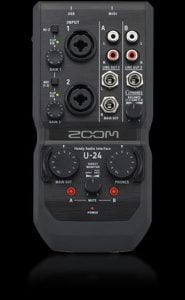 Zoom is an audio-equipment manufacturer best known for its portable recorders. Its H2, H4n, H5, and H6 Handy Recorders are widely cited as some of the best devices for remote gathering of audio. While Zoom’s recorders are designed to be all-in-one products, with microphones and recording capabilities built-in, Zoom’s newest product,
  Creating video files can be a real hassle. Different devices, different operating systems, different web browsers and applications, all have their own requirements when it comes to presenting video. Ideally, video producers could just offer one “master” file for distribution, and all of those different outlets would adapt that master file to their needs. But it truly is less than an ideal world when it comes to video distribution. That’s why it’s important to be able to offer video productions in as many formats as possible. But it’s not always easy to know which formats to use or how to create them. That’s where the WinX Video Converter application from Digiarty comes in.
 It’s become increasingly easier over time to capture and create audio in remote locations. No longer is it necessary to be tied to a room full of expensive gear in order to record vocals or produce instrumental tracks.
 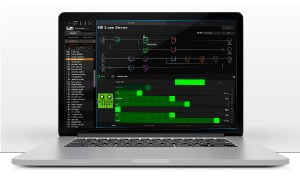 Musical instrument and audio equipment manufacturer Line 6 made waves in the guitar gear field when the company released the Helix processor last year. The Helix is Line 6’s first next-gem level processor, packed with high-end hardware and software designed to give guitarists access to the best possible tones.
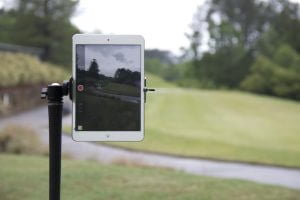 Whether it’s for personal use or as part of a large-scale production, getting the right shot is crucial to any video. But if you’re in a situation where set up time is at a minimum, you don’t want to be strapped down with loads of gear that will require a lot of time and energy in the teardown/set up process. What if getting the perfect shot for the next scene was as simple as putting a small pole into the ground, mounting and adjusting your camera, and pressing record? That’s exactly what the SportPod is designed to do.
 Last fall, NewTek, the Texas-based hardware/software developer renowned for its media and broadcast products, announced the
  ATSC 3.0, the new standard that will soon be launched by the
  Sometimes the best practice for capturing a live event is to have multiple cameras. But setting up these kinds of shoots can require lots of extra (not to mention costly) equipment. It can also be technically challenging to set up a multi-cam rig, as different manufacturers and models may have their own requirements for audio-video connections that may or not match each other. Could it be possible to deliver a robust multi-angle video presentation that uses only one camera?
 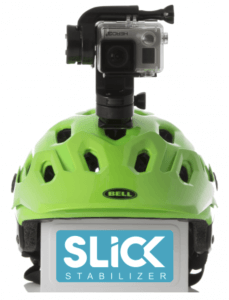 Nobody likes watching video that’s bouncing and jerking around the frame. Some cameras come with built-in stabilizers to try and solve the problem. But those kinds of stabilizers can only do so much. There are high-end solutions like the Steadicam harness. But they’re very expensive and require special training to operate. Wouldn’t it be great if there were a middle ground between these two solutions? That’s where the new Slick Stabilizer comes in.